Gallery
What SMINT output looks like on real tissue. Each figure links to the guide or tutorial that produces it.
Segmentation and registration
-
Whole-slide segmentation
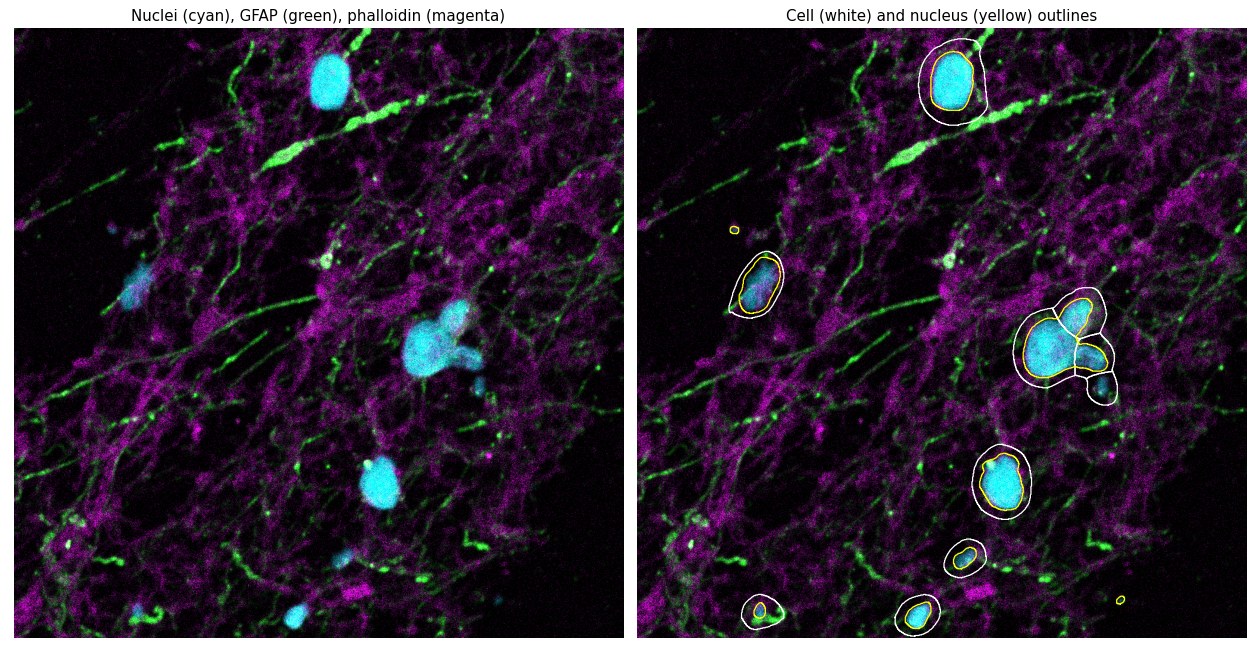
Sample 3: cells (white) and nuclei (yellow) segmented with a fine-tuned Cellpose-SAM model on nuclei (cyan), GFAP (green) and phalloidin (magenta).
-
Same-section registration
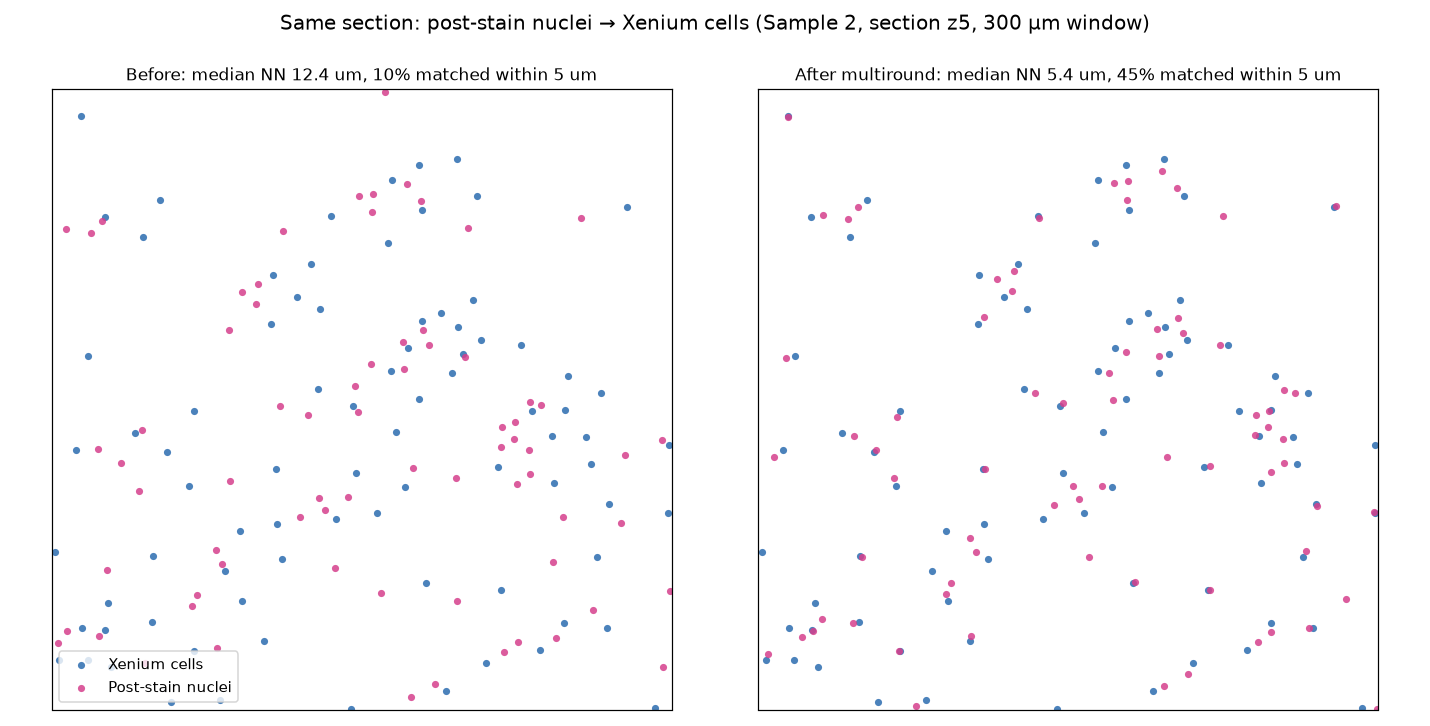
Sample 2, section z5: post-stain nuclei (pink) registered onto Xenium cells (blue) with multiround centroid registration.
-
How multiround registration works
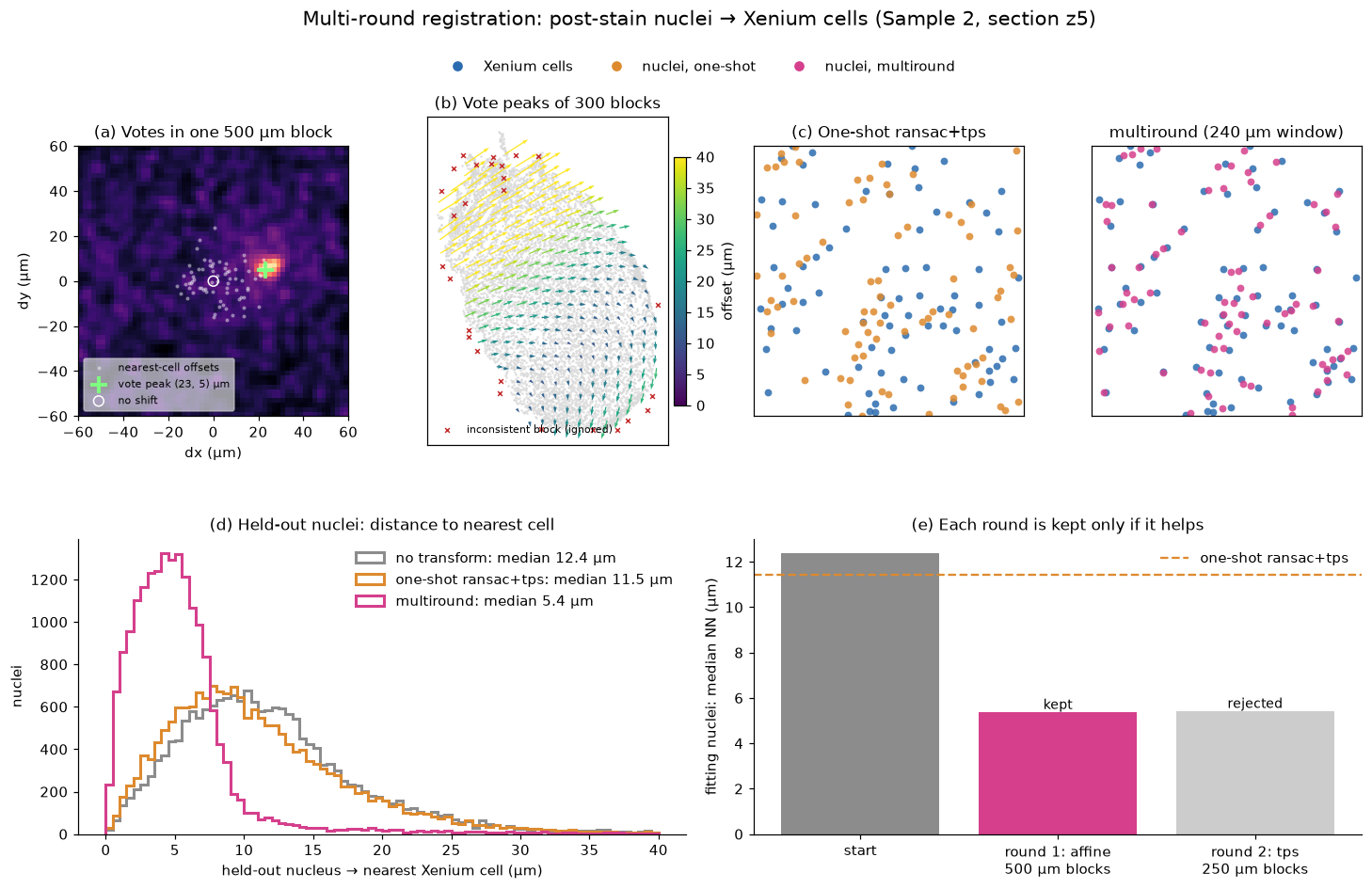
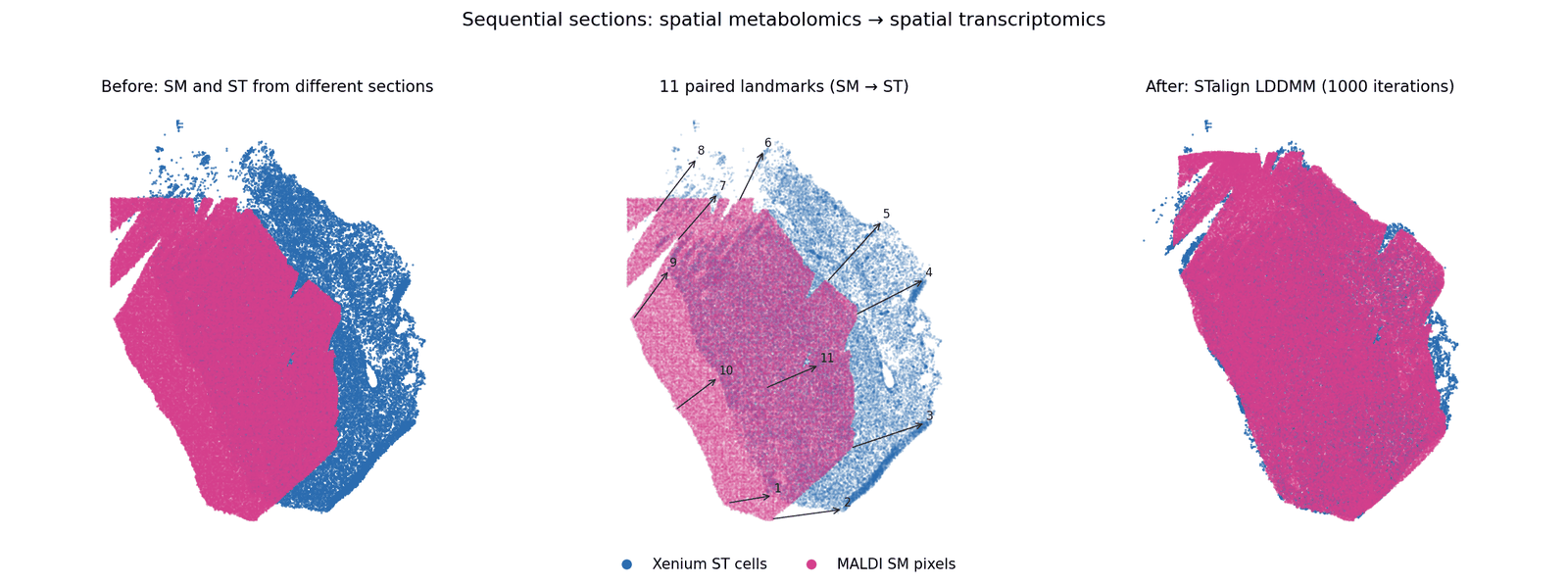
Displacement votes within a tissue block, the field of block peaks across the section, and the alignment before and after.
-
Snapping nuclei onto cells
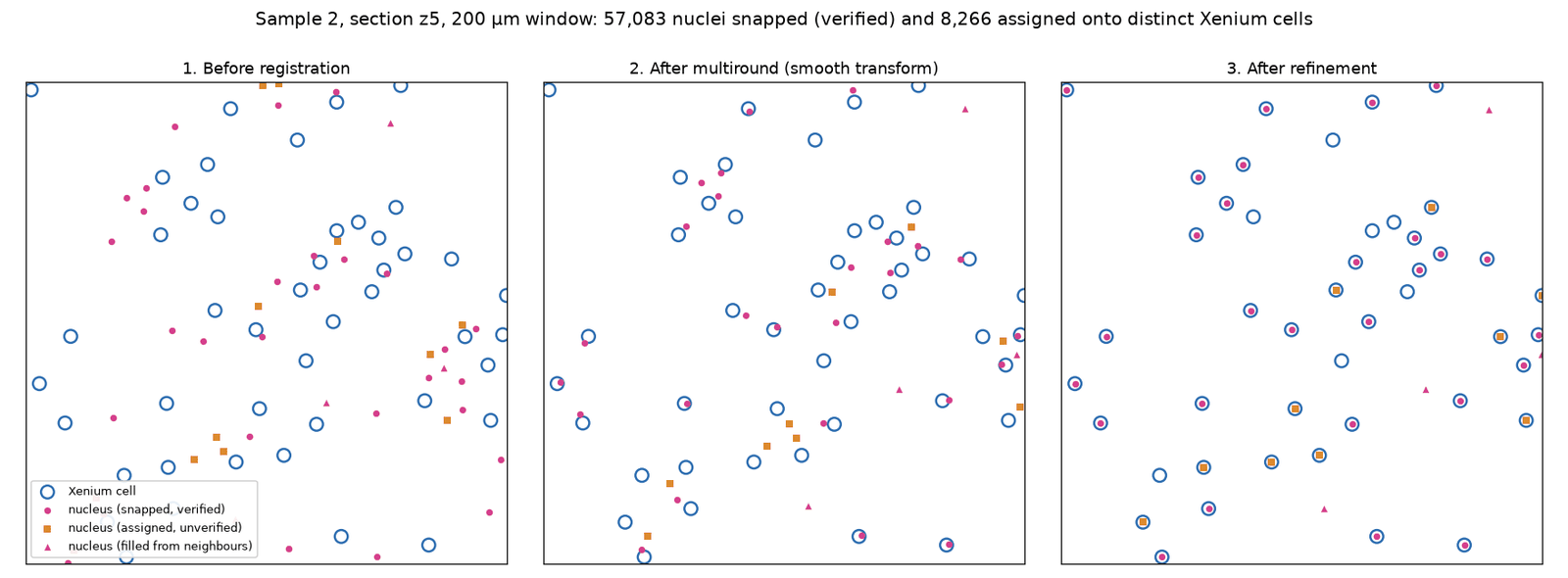
After the smooth transform, matched nuclei are snapped exactly onto their Xenium cells; 88% of cells receive a distinct nucleus on Sample 2 z5.
3D cell-type maps of three samples
Registered serial sections stacked into 3D. Each point is a cell, coloured by its annotated cell type; up to 3,000 cells per cell type are shown for each sample so the page stays responsive.
Using the 3D view
- Choose a sample with the Sample A / B / C buttons above the plot.
- Rotate by dragging, zoom with the scroll wheel, a pinch or the
- / − buttons, and reset the view with ↻.
- Open the legend with the Legend button to see which colour is which cell type.
| Sample | Data | Shown as |
|---|---|---|
| Sample A | Spatial transcriptomics, cell centroids with a z coordinate | 3D scatter, coloured by cell type |
| Sample B | Spatial transcriptomics, eight registered serial sections | Sections stacked by z position |
| Sample C | Spatial transcriptomics, eight sections (layers z1–z8) | Sections stacked by layer |
Cell-type labels follow the glioblastoma tumour-microenvironment taxonomy
(AC-like, MES-like, OPC-like, NPC-like) plus normal brain and immune
populations. The page is generated by
scripts/visualization/generate_3d_comparison.py with Plotly.