Segment cells and nuclei
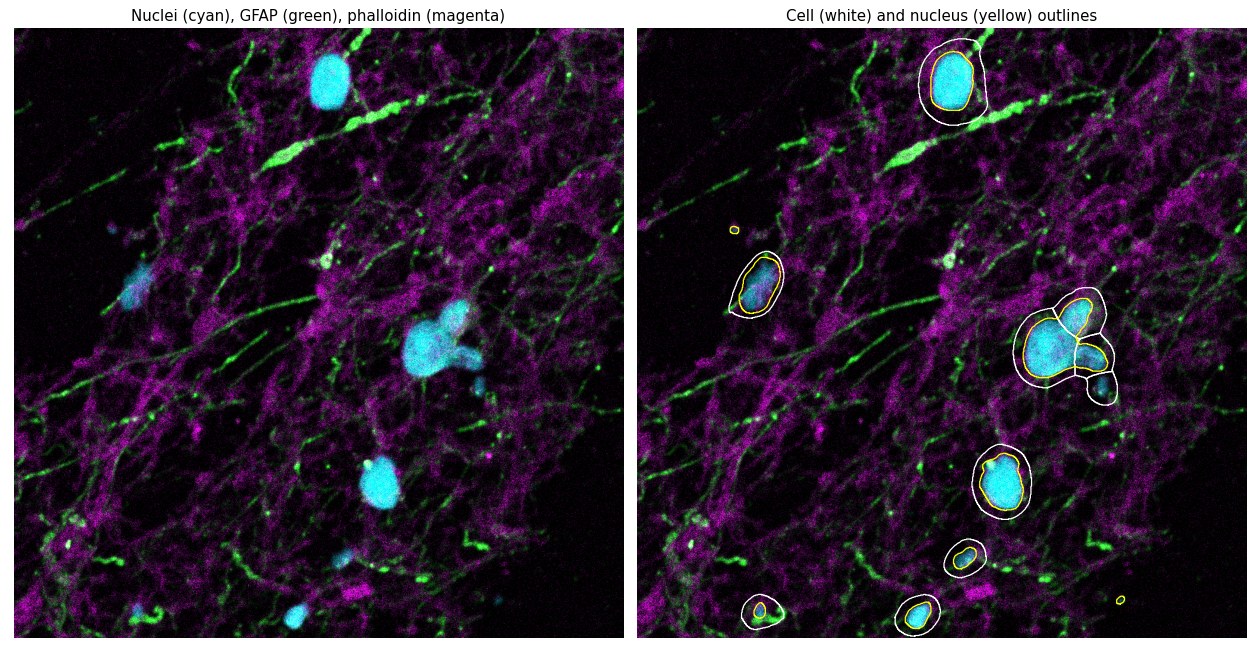
This guide shows you how to segment cells and nuclei across a whole-slide image with SMINT: which entry point to use, how to run it from Python or the command line, how to tune the Cellpose models, and what files you get back. For why SMINT tiles and stitches the way it does, see Tiling and stitching; for a worked, executed example, see the segmentation tutorial.
Choose an entry point
SMINT has two segmentation functions. Both run a cell model and a nucleus model with Cellpose; they differ in how much of the slide they hold in memory and where the work runs.
flowchart TD
    A[Whole-slide image] --> B{Fits in memory<br/>on one machine?}
    B -- yes --> C["process_large_image<br/>one process, chunk by chunk"]
    B -- "no, or you have<br/>several GPUs" --> D["run_distributed_segmentation<br/>Dask workers, overlapping tiles"]
    D --> E{Where do the<br/>workers run?}
    E -- this node --> F["backend='local'<br/>CPU, or one worker per GPU"]
    E -- the cluster --> G["backend='slurm'<br/>one SLURM job per worker"]
    C --> H[Outline CSVs]
    F --> I[Stitched outlines, per-object<br/>summaries, label masks]
    G --> I
process_large_image |
run_distributed_segmentation |
|
|---|---|---|
| Input | TIFF / OME-TIFF, read fully into memory | TIFF / OME-TIFF or Zarr / OME-Zarr, read lazily tile by tile |
| Runs on | One process (uses the GPU if Cellpose finds one) | Dask workers: local CPUs, local GPUs, SLURM jobs or an existing scheduler |
| Tile boundaries | Chunks without overlap | Overlapping tiles, stitched afterwards |
| Nuclei and cells | Segmented independently | Reconciled: every nucleus assigned to one cell |
| Extras | Adaptive nuclei threshold, per-chunk QC images | Per-object centroids and areas, full-resolution label masks |
| Install | smint[distributed] (for shapely, which smint.segmentation imports) |
smint[distributed] (plus dask-cuda for local multi-GPU) |
Default to the distributed function
run_distributed_segmentation with backend="local" runs on a laptop
too, and it is the only path that stitches across tile boundaries and
links each nucleus to its cell. Use process_large_image when you want
its adaptive nuclei threshold or quick per-chunk QC images.
Prepare your image
- Format. OME-TIFF is preferred.
run_distributed_segmentationalso reads Zarr and OME-Zarr stores. Both functions turn the image into a channels-first(C, Y, X)stack. - Channels. You need a nuclear stain (DAPI, Hoechst) for nuclei, and a membrane or cytoplasm stain (phalloidin, WGA, GFAP and so on) for cells.
- Channel selection.
channelsuses Cellpose 3's convention on both Cellpose versions:[main, nuclear], 1-based,0meaning "none". For a(nuclei, cytoplasm)stack, cells use[2, 1](cytoplasm as the main channel, nuclei as the helper) and nuclei use[1, 0]. - Diameter. Give the typical object diameter in pixels at the resolution of the image you segment.
Cellpose 3 and Cellpose 4
SMINT works with both. A model is either a built-in name or a path to a trained model.
- Cellpose 3 ships
cyto,cyto2,cyto3andnuclei. - Cellpose 4 ships only Cellpose-SAM (
cpsam). The Cellpose 3 names fall back tocpsamwith a warning, so pass a path to a fine-tuned model if you need a specialised one.
See Installation for which to install.
Segment on one machine
from smint.segmentation import process_large_image

results = process_large_image(
    image_path="slide.ome.tif",
    csv_base_path="results/slide",     # writes results/slide_cells.csv and _nuclei.csv
    chunk_size=(2048, 2048),
    cell_model_path="cyto3",           # built-in name or path to a trained model
    cells_diameter=60.0,
    cells_channels=[2, 1],             # [main, nuclear], 1-based
    nuclei_model_path="nuclei",
    nuclei_diameter=30.0,
    nuclei_channels=[1, 0],
    visualize=True,                    # QC PNGs for a few chunks
)
if "error" in results:
    raise RuntimeError(results["error"])
print(results["total_cells"], results["total_nuclei"])
print(results["cells_csv_path"], results["nuclei_csv_path"])
scripts/run_segmentation.py (in a source checkout) wraps the same
function. Model parameters come from a YAML file
(configs/segmentation_config.yaml, see
Configuration); the flags override it.
python scripts/run_segmentation.py \
    --image slide.ome.tif \
    --output-dir results \
    --config configs/segmentation_config.yaml \
    --cell-model cyto3 --cell-diameter 60 \
    --nuclei-model nuclei --nuclei-diameter 30 \
    --visualize --save-config
This writes results/cell_outlines_cells.csv,
results/cell_outlines_nuclei.csv, results/segmentation.log and, with
--save-config, the effective results/segmentation_config.yaml.
Errors are returned, not raised
process_large_image returns {"error": "..."} when it cannot load the
image or a model (for example when Cellpose is not installed). Check for
the key, as above, before using the result.
Retry faint nuclei automatically
When a chunk yields far fewer nuclei than cells, process_large_image can
lower the nuclei cellprob_threshold step by step and try again:
results = process_large_image(
    ...,                                         # as above
    enable_adaptive_nuclei=True,
    adaptive_nuclei_trigger_ratio=0.05,          # retry if nuclei < 5% of cells
    nuclei_adaptive_cellprob_step_decrement=0.2,
    nuclei_adaptive_cellprob_lower_limit=-6.0,
    nuclei_max_adaptive_attempts=3,
)
In the YAML config these are the adaptive_nuclei: keys (enable,
trigger_ratio, step_decrement, cellprob_lower_limit, max_attempts).
Segment a whole slide with Dask
run_distributed_segmentation cuts the slide into square core tiles
(chunk_size, default 2048 px), segments each tile plus a margin
(tile_overlap, default 256 px) on a Dask worker, and stitches the results
so that a cell on a tile boundary is kept once, and whole.
from smint.segmentation import run_distributed_segmentation


def main():
    results = run_distributed_segmentation(
        image_path="slide.ome.zarr",       # Zarr/OME-Zarr or TIFF/OME-TIFF
        output_dir="results/seg_run",
        cell_model="cyto3",                # name or path; False skips cells
        nuclei_model="nuclei",             # name or path; False skips nuclei
        cell_params={"diameter": 60, "channels": [2, 1]},
        nuclei_params={"diameter": 30, "channels": [1, 0]},
        chunk_size=2048,                   # core tile, px
        tile_overlap=256,                  # must exceed the largest cell radius
        backend="local",                   # or "slurm"
        n_workers=4,
        use_gpu=False,
    )
    print(results["total_cells"], results["total_nuclei"], results["n_tiles"])
    print(results["failed_tiles"])         # [] when every tile succeeded


if __name__ == "__main__":
    main()
The module has its own command line:
smint-segment-distributed \
    --image_path slide.ome.zarr \
    --output_dir results/seg_run \
    --config_path configs/segmentation_config.yaml \
    --cell_model cyto3 --nuclei_model nuclei \
    --tile_size 2048 --tile_overlap 256 \
    --backend local --n_workers 4 --no_gpu
Cellpose parameters (diameter, flow_threshold, cellprob_threshold,
channels) come from the config file's cell_model_params and
nuclei_model_params.
Every argument left as None is read from the config file, so a whole
run can be described in YAML and passed as config_path=:
model_paths: ["cyto3", "nuclei"]       # [cell model, nuclei model]
cell_model_params:
  diameter: 60
  channels: [2, 1]
nuclei_model_params:
  diameter: 30
  channels: [1, 0]
use_gpu: true
n_workers: 4
chunk_size: [2048, 2048]
distributed:
  backend: slurm                       # or local
  tile_overlap: 256
  slurm:                               # dask_jobqueue.SLURMCluster options
    queue: gpuq
    gpu_type: A30
    memory: 64GB
    walltime: "04:00:00"
Guard your script with if __name__ == \"__main__\":
The local backend starts worker processes. In a plain script without the
guard, they fail to start (RuntimeError: Nanny failed to start). Jupyter
notebooks do not need it.
The run log is written to output_dir/distributed_seg_<timestamp>.log. To run
the workers as SLURM jobs, set backend="slurm" and pass
dask_jobqueue.SLURMCluster options in slurm= — see
Running on HPC and the
distributed segmentation tutorial.
How tiles are stitched
Stitching is a port of the R workflow in stitching/stitching.Rmd
(smint.segmentation.stitching). Overlap is the intersection as a fraction
of the smaller object.
- Stitch nuclei, then cells (cells must touch a stitched nucleus): merge
pairs overlapping by more than
stitch_merge_thresh(0.5) until nothing more merges, trim overlaps understitch_trim_thresh(0.25) from both objects, and drop the smaller object of any pair still overlapping by 0.25 or more. - Reconcile cells with nuclei (
reconcile_nuclei=True): drop cells without a credible nucleus, grow cells over nuclei they mostly contain, split nuclei that straddle several cells, and assign every nucleus to exactly one cell. Nuclei with no cell become nucleus-only cells.
Tiling and stitching explains each rule with pictures.
Tune the models
| Setting | process_large_image |
distributed cell_params / nuclei_params |
What it does |
|---|---|---|---|
| Diameter | cells_diameter, nuclei_diameter |
diameter |
Expected object size in px; Cellpose rescales the image to it |
| Flow threshold | cells_flow_threshold, nuclei_flow_threshold |
flow_threshold |
Maximum flow error for a mask to be kept; higher keeps more, less regular, masks (default 0.4) |
| Cell probability | cells_cellprob_threshold, nuclei_cellprob_threshold |
cellprob_threshold |
Pixel threshold; lower finds fainter objects (defaults −1.5 cells, −1.2 nuclei) |
| Channels | cells_channels, nuclei_channels |
channels |
[main, nuclear], 1-based, 0 = none |
Tune on a crop first
Cut a 2048 × 2048 px crop that contains your hardest region, iterate on it
until the outlines look right, then launch the whole slide with the same
parameters. For unusual morphology a fine-tuned model usually beats
parameter tweaking; segmentation/Cellpose_Train_and_Seg.ipynb in the
repository shows how to train one.
Output files
run_distributed_segmentation writes to output_dir:
| File | Contents |
|---|---|
cells_outlines.csv, nuclei_outlines.csv |
One row per outline vertex: global_cell_id, x, y (IDs from 1 after stitching) |
cells_summary.csv |
One row per cell: global_cell_id, x_centroid, y_centroid, area, n_nuclei |
nuclei_summary.csv |
One row per nucleus: global_cell_id, x_centroid, y_centroid, area, cell_id (the containing cell) |
cells.zarr, nuclei.zarr |
Full-resolution label masks (per-tile IDs, not the stitched IDs) |
process_large_image writes <csv_base_path>_cells.csv and
<csv_base_path>_nuclei.csv (outline vertices: global_cell_id, chunk_id, x, y),
plus per-chunk PNGs in visualize_output_dir when visualize=True.
All coordinates and areas are in image pixels. The full column reference is in Data formats.
Use the results for registration
The nuclei summary is the input for same-section registration. Xenium coordinates are in µm, so convert first, then name the columns when you call SMINT:
import pandas as pd

pixel_size_um = 0.5      # placeholder: µm per pixel, from your image's metadata
nuc = pd.read_csv("results/seg_run/nuclei_summary.csv")
nuc[["x_centroid", "y_centroid"]] *= pixel_size_um
nuc.to_csv("results/nuclei_um.csv", index=False)
smint-alignment centroid --source results/nuclei_um.csv --target cells.csv \
    --output-dir results/reg
smint-alignment centroid finds x_centroid/y_centroid in both files; name
other columns with --source-cols / --target-cols. If the image and the Xenium section are not in
the same orientation, see Coordinate frames.
Troubleshooting
Cells or nuclei are missed
Check diameter first: a diameter off by a factor of two is the most
common cause. Then lower cellprob_threshold (e.g. −1.5 → −3) or raise
flow_threshold (0.4 → 0.6). For nuclei in process_large_image, turn on
the adaptive threshold.
On Cellpose 4 every model gives the same result
Cellpose 4 has only cpsam; cyto and nuclei fall back to it with a
warning in the log. Pass a path to a fine-tuned model, or install
Cellpose 3 for the legacy models.
CUDA out of memory
Use a smaller chunk_size (e.g. 1024), or switch to
run_distributed_segmentation, which holds one tile per worker.
Cells are cut in half at tile edges
process_large_image chunks do not overlap; use
run_distributed_segmentation. In the distributed function, make
tile_overlap larger than the largest cell radius in pixels.
Some tiles failed
results["failed_tiles"] lists their coordinates and the log in
output_dir has each error; those regions are empty in the outputs. The
run raises only if every tile fails.